
Why We Need to Forget Passwords: The Threats and Microsoft’s Passkey Solution
As someone who has spent decades navigating the world of IT infrastructure and cybersecurity, I can say that passwords are one of the weakest links in our digital security. They are difficult to remember, vulnerable to phishing attacks, brute-force attacks, credential stuffing, and keyloggers – the list of threats is long. This is why Microsoft’s progressive move to fully adopt passkeys for all their consumer accounts is not just a new feature, but an authentication revolution. It’s a paradigm shift from “what you know” (passwords) to “what you have and who you are,” fundamentally changing our digital security landscape.
Understanding Passkeys: More Than Just a Digital Key
Simply put, a passkey is a digital authentication credential that is far more secure than traditional passwords. But let’s delve deeper. Passkeys are built on open standards developed by the FIDO Alliance (Fast IDentity Online) and the WebAuthn (Web Authentication API) protocol. It’s not just a simple “digital key”; it’s a sophisticated implementation of public-key cryptography.
- Public-Private Key Pairs: Each passkey consists of a cryptographic key pair: a private key and a public key. The private key is stored securely and uniquely on your device (phone, laptop, tablet) acting as the “authenticator.” This key never leaves your device. Meanwhile, the public key is shared with the service provider (in this case, Microsoft) which acts as the “Relying Party.”
- Secure Authentication Mechanism: When you want to log into your Microsoft account, your device will use the private key to sign a cryptographic challenge sent by Microsoft. This digital signature is then verified by Microsoft using the public key they store. This process doesn’t involve transmitting a password, just a cryptographic exchange that cannot be intercepted or misused.
- Phishing Resistance: This is why passkeys are so resistant to phishing attacks. Passkeys are inherently tied to the domain of the website where they are created. This means that a passkey created for account.microsoft.com will not work on a fake phishing site like mircosoft.com. Your device as the authenticator will refuse to release the credential to the wrong domain, effectively eliminating most traditional phishing attacks.
In other words, passkeys transform your device into a smart, cryptographically bound digital identity vault, which can only be unlocked with biometric methods (fingerprint, face scan via Windows Hello or Face ID) or a strong PIN, which have proven to be more secure and more difficult to forge than passwords.
Why Microsoft’s Adoption is a Game Changer and its Long-Term Implications
Microsoft’s decision to extensively adopt passkeys is a strategic move that has significant impacts, not only for its users but also for the digital ecosystem as a whole:
- FIDO Technology Validation: As one of the technology giants, Microsoft’s support provides strong validation for the FIDO and WebAuthn standards, driving further adoption by other service providers. As of August 2025, we have seen many major platforms, including Google, Apple, and many others, also integrate passkeys, creating an increasingly connected and secure ecosystem.
- Mass Security Improvement: With billions of Microsoft accounts worldwide, the transition to passkeys will drastically reduce the risk of account hacking caused by weak or stolen passwords. This effectively improves the cybersecurity standards for millions of individuals and organizations.
- Better User Experience: Convenience is key. No more remembering, typing, or resetting passwords. Just authenticate on your trusted device, and you’re instantly logged in. This reduces friction and increases productivity, while also increasing security.
- The Passwordless Future: The adoption of passkeys by major players like Microsoft accelerates the vision of a passwordless world, where authentication becomes more intuitive, faster, and, most importantly, far more secure. This also means that the burden of IT support related to password resets will be significantly reduced, saving time and resources.
- Cross-Device Passkey Management: As of mid-2025, passkey synchronization features have become increasingly mature. The passkeys you create can be securely synchronized through platforms like iCloud Keychain (Apple), Google Password Manager, or even Microsoft Authenticator itself, allowing you to access your account from various devices without the need to create new passkeys repeatedly. This is a very fundamental key to convenience.
Practical Guide: Creating a Passkey for Your Microsoft Account
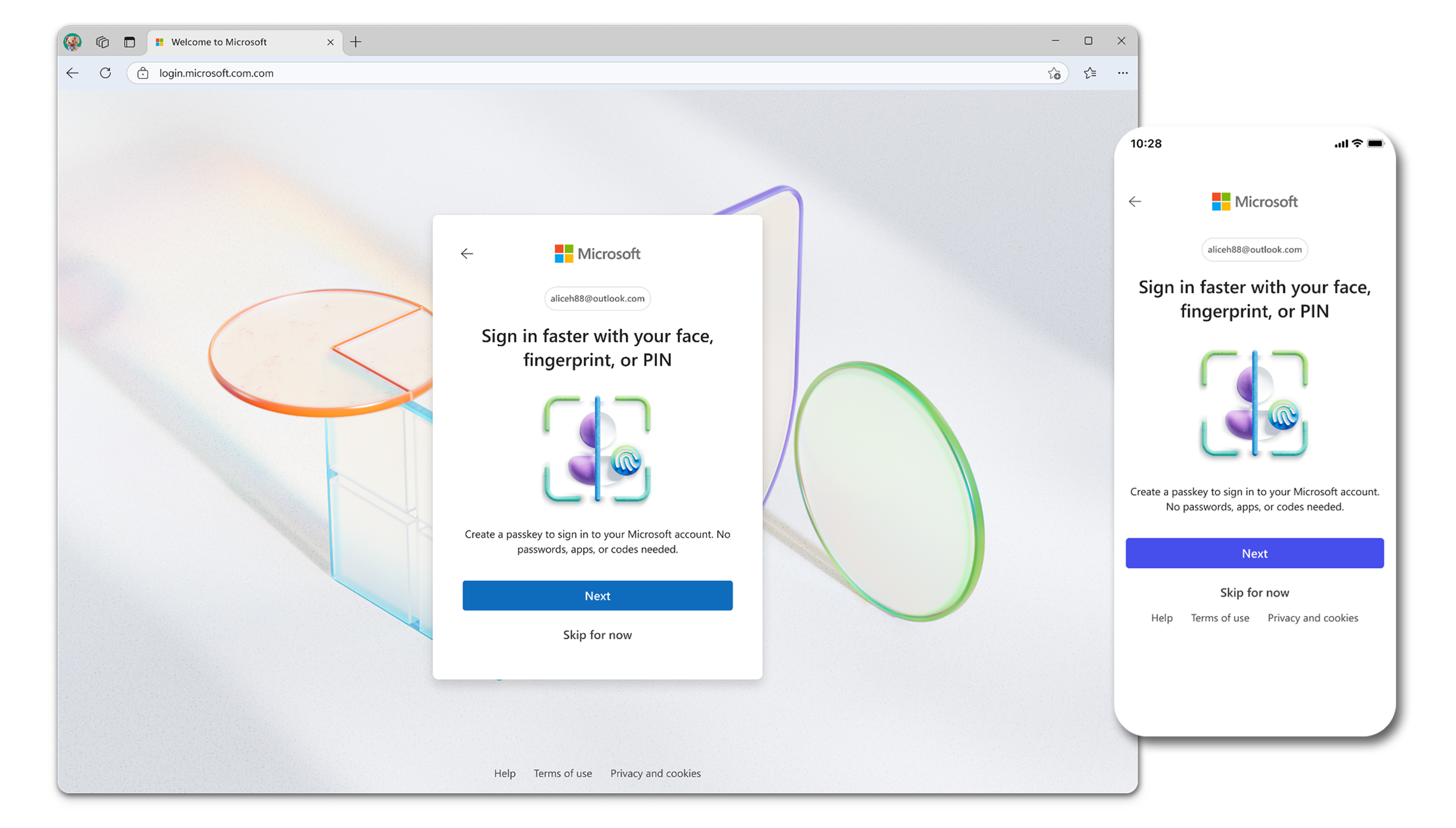
Although the technology is complex, the creation process is designed to be very simple. This is how Microsoft manages to bring high-level security to the fingertips of users:
- Access Security Settings: Open your web browser and log in to your Microsoft account as usual using your existing credentials. Once logged in, navigate to the “Security” > “Advanced security options” section.
- Passkey Creation Initiation: Look for the option that explicitly mentions “Passkey” or “Security Key” and select to create one. Microsoft will guide you through several steps to ensure security.
- Device Authentication: You will be prompted to authenticate yourself using biometric methods (such as fingerprint or face scan) or a PIN that you have set up on your current device. This is a crucial step to ensure that only you can create the passkey.
- Passkey Ready to Use: Once the authentication is successful, your passkey will be created and securely stored on your device. Internally, your device has created a cryptographic key pair and sent its public key to the Microsoft server.
Login with Passkey: Unmatched Convenience and Security
Once your passkey is created, the login experience will feel very different:
When you visit the Microsoft login page at another time, you will see the option to log in using a passkey. Simply select that option. Your device will prompt for biometric authentication or a PIN to “unlock” the stored private key. Once you confirm your identity, the device will automatically perform a cryptographic handshake with the Microsoft server, and you will be instantly logged in. Without having to type a password, without the risk of typos, and without worrying about being intercepted by hackers.
Conclusion: The New Foundation of Our Digital Security
As a cybersecurity practitioner, I see passkeys not just as a “feature,” but as a new foundation for our digital identity on the internet. It is a necessary evolutionary step to address increasingly sophisticated cyber threats. Microsoft, with the full adoption of passkeys, has set a new standard, showing that robust security does not have to sacrifice convenience. This is a long-term investment to protect our data and privacy in an ever-evolving digital age. So, switch to passkeys; it’s not just about convenience, but about strengthening your digital shield in the future.












