
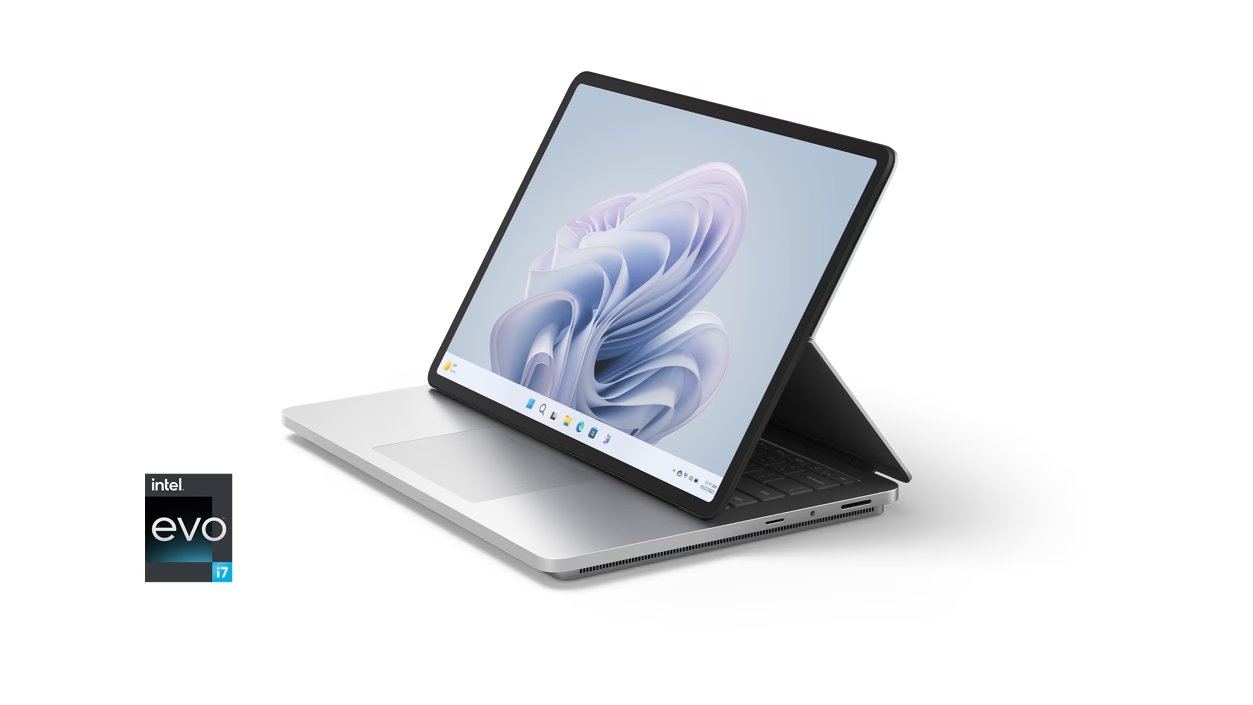
The Power & Advantages of the Surface Laptop Studio 2
Microsoft’s top-of-the-line laptops, such as the Surface Laptop Studio 2, are a prime choice for hybrid workers and creators due to their power, running Windows 11, and the ability to function as a tablet. The Surface Laptop Studio 2 is Microsoft’s highest-specification, and most expensive, portable laptop. Launched in September 2023, the Surface Laptop Studio 2 improves upon its predecessor with a new 13th Gen Intel Core processor, upgraded Nvidia graphics, more RAM options, and some additional ports like an SD card slot and USB-A connection.
At first glance, there isn’t much difference as both models look similar. However, in use, the faster performance of the Studio 2 speaks for itself.
Key Specifications
- Operating System: Windows 11
- CPU: 13th Gen Intel Core i7-13700H Processor
- GPU: Iris Xe, NVIDIA RTX 4050, and RTX 4060
- RAM: 16GB, 32GB, or 64GB LPDDR5x RAM
- Storage: 512GB, 1TB, or 2TB
- Display: 14.4 inches, 2400 x 1600 pixels
- Camera: Full HD 1080p Camera
- Speakers: Quad Omnisonic with Dolby Atmos
- Ports: 2 x USB-C/ Thunderbolt 4, 1x USB-A 3.1, MicroSDXC card slot, 3.5mm headphone jack, Surface Connect port
- Dimensions: 323 x 22 x 230mm
- Weight: 1.98kg
Design: Practical but Not Perfect
As a 2-in-1 laptop, the Surface Laptop Studio 2 is designed for flexibility. You can use it as a regular laptop or pull the screen forward for use as a tablet. This tablet can be used flat or set up halfway. Unlike other 2-in-1s I’ve tried, the Surface Laptop Studio 2 remains stable when set up. Although it weighs up to 2kg, which makes it less comfortable to carry, its design still looks smart. This laptop is only available in Platinum and has similarities to a MacBook.
Ports and Connectivity
Around the frame, there are two USB-C ports with USB 4 and Thunderbolt 4 connectivity, one USB-A 3.1 connector, one MicroSDXC card reader, a 3.5mm headphone jack, and a Surface Connect port. The USB-C ports can be used to charge the device and power the display. Given the thickness of this laptop, it would have been better if Microsoft had included an Ethernet jack and an HDMI port.
Performance and Battery
With exceptional specifications, performance may be the most compelling reason to buy the Surface Laptop Studio 2. The model I tested was equipped with a 13th Gen Intel Core i7 processor, 64GB of RAM, 1TB of storage, and Nvidia GeForce RTX 4060 graphics. In Geekbench 6 testing, the Surface Laptop Studio 2 scored a multi-core score of 9949 and a single-core score of 1643, making it one of the best-performing laptops. However, the battery tends to last only half a day with intensive use, although it can be recharged quickly in about one hour and 15 minutes.
Review Conclusion
If you are looking for a 2-in-1 laptop with exceptional performance, the Surface Laptop Studio 2 is a great choice. With its speed and touch screen, this laptop is suitable for creative work and hobby photography. Although its performance is impressive, this laptop may not be suitable for everyone due to its high price and considerable weight. For those who travel frequently, it might be better to consider a lighter laptop.
- Strong and versatile: Microsoft’s Surface Laptop Studio 2 is a top choice for hybrid workers and creators, offering fast performance, a 14.4-inch touchscreen, and plenty of ports, including a MicroSD card slot.
- Premium specifications and design: Equipped with a 13th Gen Intel Core i7 processor, up to 64GB of RAM, and up to 2TB of storage. Its sleek design resembles a MacBook, with a bright and beautiful display.
- Considerations: It is expensive and quite heavy, so it may not be suitable for everyone. In addition, the stylus is not included, which is a drawback for those interested in art or tablet sketching.












