
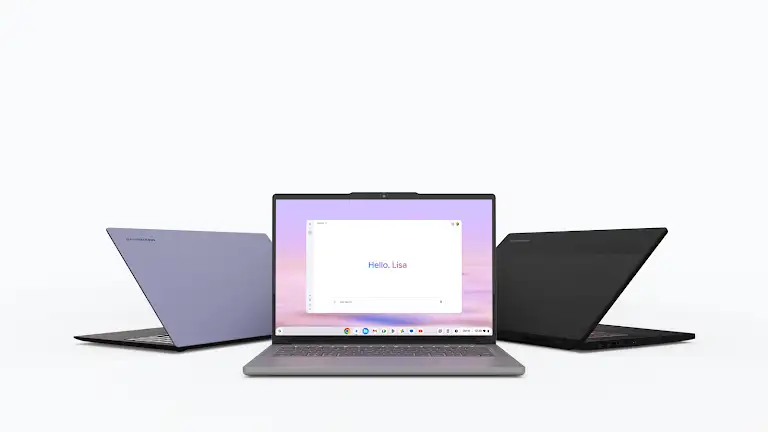
Since their inception, Chromebooks have been positioned as an affordable, simple, and cloud-based computing alternative to laptops. However, in 2025, the portable computing market landscape has undergone a significant transformation. The increasing availability of competitively priced Windows laptops and the enhanced functionality of tablets have brought the fundamental question back into focus: does the Chromebook still hold its relevance as a primary choice for consumers?
Why this matters: Changing market dynamics require consumers to re-evaluate every device option available. This article aims to provide an objective analysis of the Chromebook’s position in 2025, helping readers make informed purchasing decisions.
Core Strengths That Remain Relevant
Despite market changes, the fundamental advantages of Chromebooks remain consistent and relevant for specific user segments. ChromeOS, a lightweight, Linux-based operating system, is designed for efficiency and ease of use.
Operational Simplicity and Security
Chromebooks are known for their fast booting processes, often taking just seconds. This contrasts with some other operating systems that require more time. Furthermore, operating system updates occur automatically in the background, minimizing interruptions and ensuring the device always runs the latest and most secure version. Built-in virus protection and ChromeOS’s layered security architecture also reduce the risk of cyber threats, making it an appealing option for users who prioritize digital security without the hassle of installing third-party antivirus software.
Why this matters: Operational simplicity reduces the learning curve and the need for routine maintenance, making it ideal for students, parents, or users who want a “hassle-free” computing experience. Meanwhile, built-in security is crucial in an era of increasingly complex cyber threats, providing peace of mind to users.
Superior Battery Life
The efficiency of ChromeOS contributes to one of the main attractions of Chromebooks: exceptional battery life. Many models are capable of operating throughout a workday or study session on a single charge. This is a highly valued feature by users who travel frequently or need a reliable device without frequently seeking a power source.
Why this matters: Long battery life enhances mobility and productivity, allowing users to stay connected and work anywhere without worrying about running out of power, which is a valuable asset in a dynamic environment.
Ecosystem Evolution and Functionality
Over time, Chromebooks have strengthened their integration with the Google ecosystem and expanded their functionality.
Google Ecosystem Integration and Android Apps
For users whose workflow largely resides within the Google ecosystem—using Google Docs, Sheets, Gmail, Google Drive, and streaming services—Chromebooks offer a seamless and integrated experience. Moreover, support for Android apps is increasingly mature, extending the Chromebook’s functionality from just a web browser to a more versatile device, capable of running popular applications such as social media, productivity, and entertainment available on the Play Store.
Why this matters: Strong integration with the Google ecosystem ensures data synchronization and a cohesive user experience. Android app support bridges the functionality gap between traditional laptops and mobile devices, providing users with more options.
Improved Hardware Specifications
The latest Chromebook models are no longer limited to minimalist specifications. Many now come with more powerful processors, larger RAM, and faster storage. These improvements allow Chromebooks to handle more browser tabs simultaneously, run Android applications more smoothly, and support tasks that are slightly more demanding than before.
Why this matters: Improved specifications address the performance limitations of older models, enabling users to multitask more efficiently and expanding the types of work that the device can handle, making it a more viable choice for intensive everyday use.
Crucial Considerations and Limitations
Despite having many advantages, it’s essential to understand the limitations of Chromebooks before making a purchase.
If your needs include specialized software only available on Windows or macOS, such as the full versions of Adobe Creative Suite (Photoshop, Premiere Pro), AutoCAD, or certain engineering software, then Chromebooks are not the right choice. ChromeOS does not natively support Windows or macOS desktop applications.
Why this matters: These limitations explicitly define the Chromebook’s target audience. Ignoring these limitations can lead to a disappointing user experience and a purchase that doesn’t meet the needs. This is crucial to prevent incorrect expectations.
Conclusion: Is a Chromebook Still the Right Choice in 2025?
Ultimately, in 2025, the Chromebook remains a very viable option, but not for everyone. It is the king of simplicity, efficiency, and security for essential everyday tasks and cloud-based workflows. For students, web-focused professionals, or users looking for an easy-to-manage, secure computing device with exceptional battery life, the Chromebook offers a value proposition that is hard to beat. However, for users who need specific desktop software, investing in a Windows or macOS laptop is still a necessity.
Why this matters: This conclusion affirms that the value of a Chromebook greatly depends on its suitability for the user’s specific needs. With a clear understanding of its strengths and limitations, consumers can determine whether a Chromebook is the right investment in 2025.












