
Thermal Vision in Your Pocket? No Need to Replace Your Phone!
Hey folks, you know I’m super addicted to technology. Especially when there’s a gadget that gives our phones new superpowers. Well, to be honest, I’m really into Android phones that already have a built-in thermal camera, like the Ulefone Power Armor 18T. Seriously, that kind of feature is incredibly useful for detecting all sorts of problems! But I also understand that not everyone wants or can afford to replace their phone just for this cool feature. Besides, wouldn’t it be a shame to part with your current favorite phone?
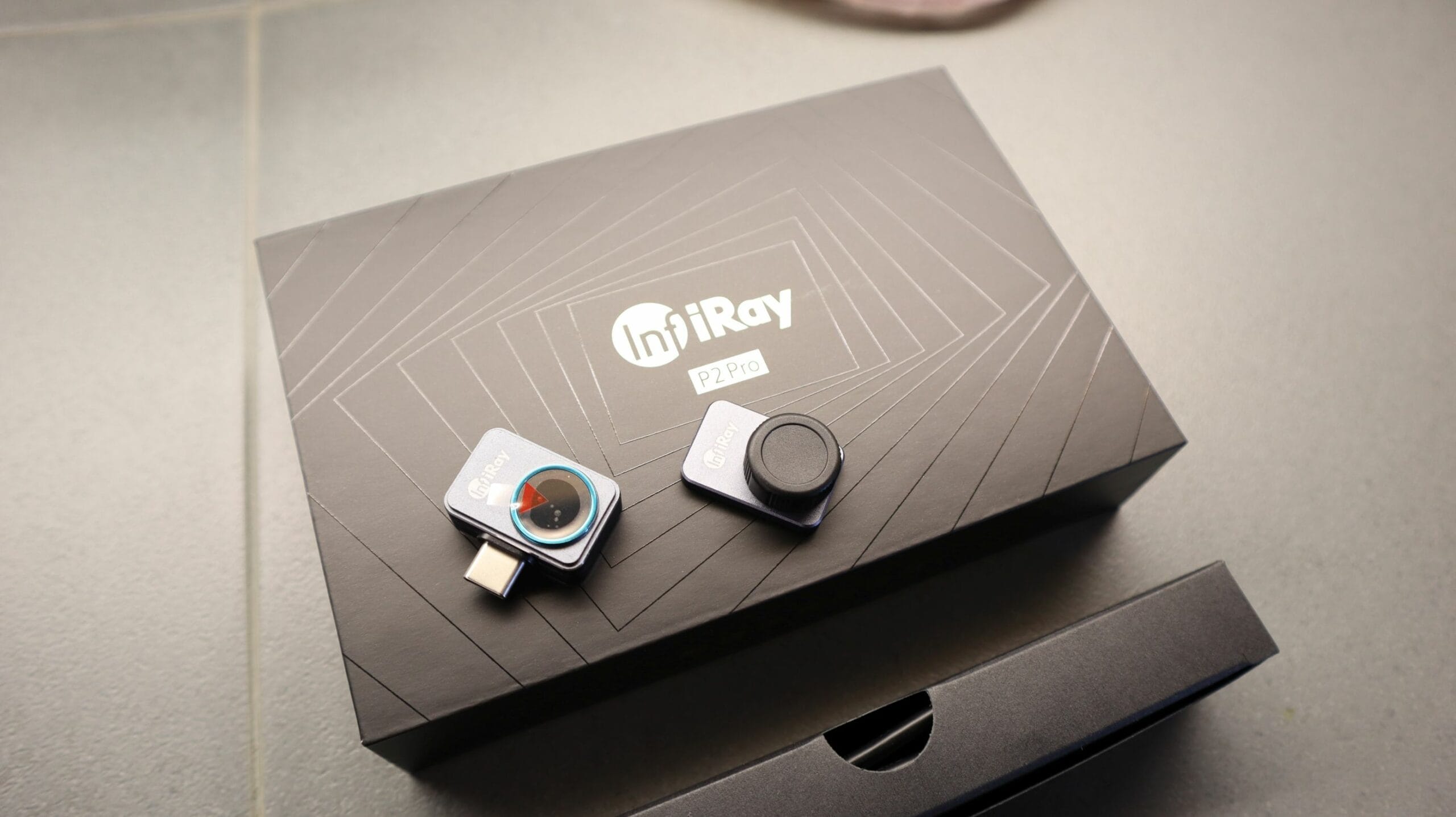
That’s why I was over the moon when I found this gadget: InfiRay P2 Pro! This is the answer for those of you who want “thermal vision” capabilities without sacrificing your beloved phone. And what shocked me even more was that the price is only around $80 if you’re a Prime member! Seriously, that price for such a cool capability? Literally, the best discovery I’ve tried lately!
Specifications that Amaze (Even Though It’s Tiny!)
Okay, don’t be fooled by its super-small size, the performance of the InfiRay P2 Pro is no joke, seriously!
- Infrared Resolution 256×192: This means the thermal images produced are very detailed, not just blurry squares. You can see the difference immediately!
- Temperature Range -20°C to 550°C: From super cold to super hot, it can handle it all. Super flexible for various scenarios!
- Tiny & Lightweight Design: It only measures 27mm × 18mm × 9.8mm and weighs only 9 grams! Imagine, this is smaller and lighter than your phone charger cable. It’s easy to slip into your pocket or a small bag.
- Battery-Free Design: Now, this is what I really like! No need to worry about separate charging. Just plug it in, and it turns on instantly. Super practical!
- Wide Compatibility: Supports Android 9.0 and above, so almost all modern Android phones can use it.
- USB-C Interface: Modern standard, just plug it into your phone’s USB-C port.
Install and Act Immediately: It’s That Easy!
What I like most about the InfiRay P2 Pro is the ease of installation. Literally, it’s like playing a plug-and-play game! You just need to:
- Download and install the **P2 Pro** app from the Google Play Store.
- Run the application.
- Plug the InfiRay P2 Pro camera into your phone’s USB-C port.
That’s it! In seconds, your Android phone instantly has “thermal vision”. Crazy, right? Oh yeah, a little tip from my experience: if your Android phone is the “tough” type or has a thick case, sometimes the USB-C port is a bit deep or obstructed. Don’t panic! You might need a small USB-C extension tool to make the connection fit. After that, you’re ready to explore!
App Features That Make Diagnostics More Precise
Once the app is running, you’ll be amazed by the information displayed. In addition to the crosshair in the middle of the screen that indicates the temperature of a particular point, I really like that there are two additional features: it automatically shows the highest and lowest temperatures in your view. So, you don’t have to search for which is the hottest or coldest. Awesome, right?
And not only that, the InfiRay P2 Pro also comes with a detachable **magnetic macro lens**. This is a real game-changer! With the macro lens, you can get closer to the object you want to check, giving you sharper resolution and detail. From being able to see only the general area, now you can focus on small components on a PCB or fine cracks in a wall. This really makes you like a temperature detective!
Here are the “Missions” You Can Do With This Thermal Camera!
Some might think, “What’s the point of a thermal camera?” Let me tell you, there are so many! After trying the InfiRay P2 Pro, here are some “missions” I often do:
- Detect Overheated Electronic Components: Ever had your phone or laptop get really hot but you don’t know why? Use this, and you can see which components are unusually hot. Usually, that’s a sign that something is damaged or about to break.
- HVAC Problem Diagnosis: From windows leaking heat, radiators not heating evenly, to AC not cooling optimally, the InfiRay P2 Pro can help you find the source of the problem. No more guessing games!
- Find Dangerous Rechargeable Batteries: Overheated batteries are very dangerous! With this, you can detect it early and prevent unwanted things.
- Find Radiator Pipes Under the Floor: For those of you who like DIY or renovating your home, this is very useful for finding pipe routes without having to dismantle everything.
- Detect Overheated Electrical Cables: The danger of electrical fires is real! Using this camera, you can identify cables that are starting to heat up before they become a big problem.
- Check PC/Laptop Cooling Systems: Is your computer slow because it’s hot? I often use this to check whether the fan or cooling system is working optimally.
- Check Car Brakes: If your car brakes have a problem, there may be parts that are “binding” and causing excessive heat. This can be easily seen with a thermal camera!
Tips from Me, “Boogeng,” for Future Temperature Detectives
My advice for those of you who are new to thermal cameras: don’t immediately use it to look for problems! Try using this InfiRay P2 Pro to look at objects that are normal and functioning well. Like a recently turned-on radiator, car brakes after driving, or electrical appliances in the house that are active. That way, you’ll have a “reference” for how normal thermal images look. So, when you find something that’s not normal, you’ll immediately know something’s wrong. Cool, right?
Why InfiRay P2 Pro is My Favorite?
I’ve tried several thermal cameras, both standalone and those that attach to phones, and frankly, the **InfiRay P2 Pro is the winner!** Why? Because of the combination of its super small size, the macro lens that makes it very flexible for various scenarios, its excellent speed and accuracy, and most importantly: no need to charge it separately! These features really make the user experience very smooth.
In the past, if I wanted to check if this electrical tool was on, I would have to find a multimeter. Now? I immediately grab the InfiRay P2 Pro, plug it in, and see if anything is hot inside. If there’s a component that starts to heat up, that already reduces a lot of potential problems and saves me time. So, for those of you who want to upgrade your Android phone’s capabilities to be super sophisticated without the hassle, the InfiRay P2 Pro is really a must-try! I guarantee you won’t regret it!












