
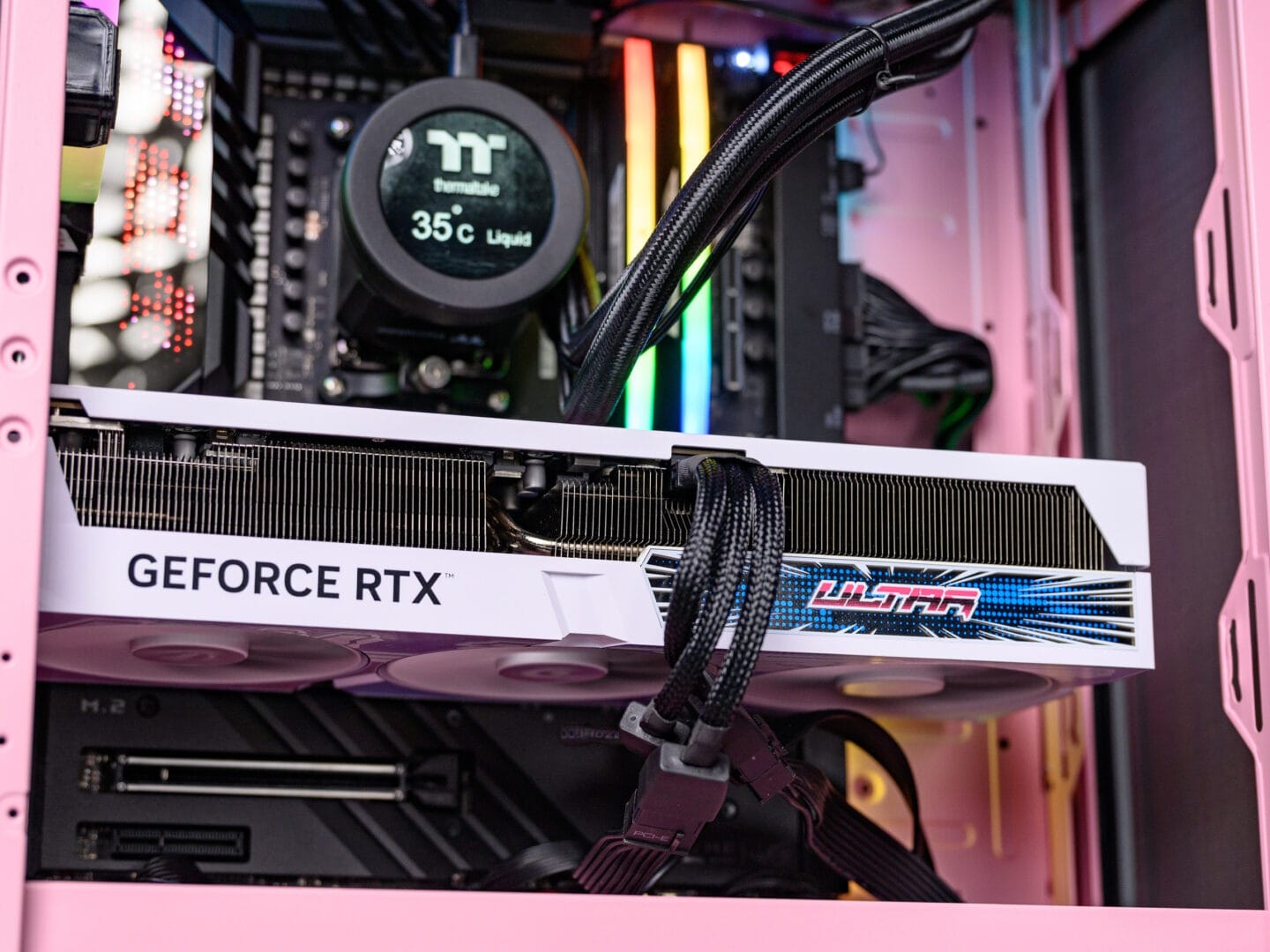
Hey guys! I’m Boogeng, and honestly, for me, there’s nothing more satisfying than building a gaming PC myself. It’s like, you literally have complete control over your performance, aesthetics, and even your budget. That feeling when the PC turns on for the first time and all the RGB lights up, it feels like you’ve created a masterpiece! But, I know, finding the right components amidst the crazy choices in the market can be a headache. Especially since it’s almost 2025, tech is moving super fast! So, in this guide, I’ll break down all the important components and give you the most up-to-date recommendations for various levels, from those just starting out to those who want to be kings!
Basic Components You Absolutely Need to Understand!
Before we dive into brands and models, it’s really important for you to understand the function of each component. It’s like understanding a recipe before you start cooking, so the result isn’t a disaster!
CPU (Central Processing Unit)
This is your PC’s brain, which manages all the “brainpower.” For gaming, I always see high single-core speed as more crucial than just a large number of cores, because many games still prefer that. In 2025, we’ll most likely encounter AMD Ryzen 8000/9000 series with Zen 5/6 architecture and Intel Arrow Lake (15th Gen) with LGA1851 socket. So, make sure your CPU choice supports the latest architecture!
GPU (Graphics Processing Unit)
Well, this is the heart of your gaming performance! The GPU is responsible for rendering all the graphics in the game. The more powerful the GPU, the higher the resolution and frame rate you can get. This is an area you can’t compromise on if you want maximum gaming. For 2025, we predict NVIDIA RTX 50 series (Blackwell) and AMD Radeon RX 8000 series (RDNA 4) will be the frontrunners. If you want high graphics detail at 4K, this is an area you must splurge on!
RAM (Random Access Memory)
Basically, this is where your PC “thinks fast” for short-term data. In 2025, 16GB DDR5 is already the comfortable minimum standard for gaming, especially if you’re only playing one game. But, if you’re like me who likes multitasking, opening dozens of browser tabs, Discord, streaming, while playing heavy games, 32GB is the new sweet spot. This is also more future-proof for games that are increasingly RAM-hungry. Speeds of 6000MHz and above are already a must!
Storage
To prevent game loading from causing emotion, I highly recommend using an NVMe SSD (Solid State Drive) for your operating system and main games. The speed, wow, it can drastically reduce loading times. For high-end, NVMe Gen5 SSDs are starting to become more mainstream in 2025. But Gen4 is also still super fast and a very worthwhile choice. You’ll also love this: booting Windows and loading games become super fast, literally in a matter of seconds! If you need more space for a huge game library, you can add a larger SATA SSD.
Motherboard
This is the “foundation” that unites all the components. It’s very important to check the socket, it must match your CPU (for example, AM5 for the latest AMD Ryzen or LGA1851 for Intel Arrow Lake). Also make sure it supports high-speed DDR5 RAM and has enough NVMe Gen4/Gen5 slots. Don’t just focus on the price, connectivity features like the latest USB and Wi-Fi 7 also need to be considered!
PSU (Power Supply Unit)
Never mess around with the PSU, this is the “lifeblood” of your PC! I always say, don’t skimp here. Choose a PSU from reputable brands with 80+ Gold or Platinum efficiency certification. Make sure the wattage is also sufficient for your GPU and CPU, plus there’s a little headroom for upgrades or overclocking. If there’s a lack of power, it can cause other components to fail quickly or the PC to frequently restart suddenly.
Casing & Cooling
The casing is not just about aesthetics, but also crucial for airflow. Choose a casing that has good ventilation and can accommodate all your chosen components. For CPU cooling, if you’re using an entry-level model, the stock cooler might be enough. But for mid-range to high-end CPUs in 2025, I highly recommend an air tower cooler with insane performance or even an AIO (All-in-One) liquid cooler. Especially since modern CPUs are getting hotter, proper cooling is a must!
My Dream PC Build Recommendations (September 2025 Prediction!)
Okay, now we’re getting to the most exciting part! I’ve prepared build recommendations per level based on my estimate of the best components in September 2025. Remember, the tech market is very dynamic, so this is my best prediction!
- Entry-Level Build (1080p Gaming – Gaspol at 60FPS+)
This is for you who want to start getting into PC gaming without making your wallet cry. The focus is to get the best value for a super smooth 1080p experience above 60 FPS for most modern games.
- CPU: AMD Ryzen 5 8600X / Intel Core i5 15400F
- GPU: NVIDIA GeForce RTX 5050 / AMD Radeon RX 8600 XT
- RAM: 16GB (2x8GB) DDR5 6000MHz
- Storage: 1TB NVMe Gen4 SSD
- PSU: 650W 80+ Bronze/Gold
- Mid-Range Build (1440p “Sweet Spot” Gaming – High Refresh Rate!)
Well, this is the most popular tier in my opinion! This build gives the perfect balance between price and performance for 1440p (2K) resolution gaming with high frame rates, suitable for 144Hz and above monitors. This is my PC specs at the office for game reviews!
- CPU: AMD Ryzen 7 8700X / Intel Core i5 15600K
- GPU: NVIDIA GeForce RTX 5070 / AMD Radeon RX 8700 XT
- RAM: 32GB (2x16GB) DDR5 6000MHz-6400MHz
- Storage: 2TB NVMe Gen4 SSD (can upgrade to Gen5 if the budget allows)
- PSU: 750W 80+ Gold
- High-End / Enthusiast Build (4K & Beyond Gaming – No Compromises!)
This is for you who literally don’t want to compromise on performance and budget is no longer an issue. This build is designed for 4K gaming with graphics settings maxed out, high frame rates, and also very good for super heavy productivity tasks like video editing or 3D rendering.
- CPU: AMD Ryzen 9 8950X3D / Intel Core i9 15900K
- GPU: NVIDIA GeForce RTX 5080 / RTX 5090 / AMD Radeon RX 8900 XT
- RAM: 32GB or 64GB DDR5 7200MHz+
- Storage: 2TB or 4TB NVMe Gen5 SSD
- PSU: 1000W-1200W 80+ Gold or Platinum
Before you rush to buy, I always highly recommend checking the latest reviews and comparing prices. The PC component market is very dynamic, it can change in a matter of weeks. But with the right research and this guide from me, you can definitely build the dream machine that will accompany you for years to come. Happy building, guys!












