
Opening: The Design AI That’s Already Rocking My Phone!
Hey everyone, listen up! As a techno freak who loves tinkering with new apps, I’ve been eagerly awaiting the arrival of this application! Microsoft Designer, often touted as the ‘Canva killer,’ has finally landed on our phones, both Android and iOS. I immediately downloaded and tried it out as soon as I knew, and honestly… this is insane!
Here It Is, Fast Design Using Just Text!
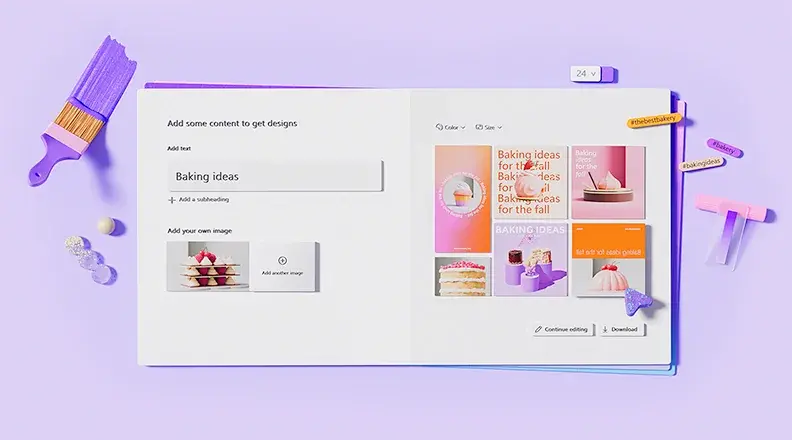
Imagine, I just type, “birthday sticker, space theme, neon colors” or “wedding invitation, vintage style, pastel colors with flower decorations.” And BOOM! In seconds, the design is done. Seriously, not just stickers or greeting cards, photo collages of vacation photos can also be made just by using simple text commands. It feels like having a personal graphic designer always ready in your pocket. The creative process that used to be a headache, now it’s super easy!
No Fuss: Get Started Quickly Using Templates & Collaborate on Ideas
At first, I thought, “Ah, this must be complicated to find inspiration from scratch.” But it turns out, Microsoft has thought of that too! There’s a “prompt template” feature that really helps me get started. I just choose the style and description I want, and it immediately gives me the initial ideas. The basic design is already done, I just need to tweak it a bit to suit my taste. What’s even more fun, I can also share these templates with my friends. It’s a good thing, for impromptu idea collaborations while hanging out or working on projects together!
AI Photo Editing: Transform Images in an Instant
What makes me even more hooked on Designer is not just for creating designs from scratch, you know. I can easily upload photos from the gallery, and then play with the AI. Want my photo to look like a watercolor painting? Just type the command. Want to add strange details in the background to make it more aesthetic? Also possible! In fact, I heard there will be a “change background” feature using just text. Crazy, right? It will be even more explorative of AI photo editing capabilities in our hands!
Microsoft Ecosystem Integration: More Productive Everywhere
And this is what makes me even more convinced of Microsoft’s ambition. Designer doesn’t just stand alone as a cool app on the phone, but it’s seamlessly connected to their ecosystem. For me, a Copilot Pro subscriber, I can create designs directly in Word or PowerPoint without having to exit the application. Like typing a report, and then needing a quick infographic, just call Designer. Very practical! Then, in Windows 11, I can edit photos, remove objects or backgrounds using AI directly from the built-in Photos app. This shows that Microsoft really wants AI to be the center of everything we do every day, not just for professional designers.
Boogeng’s Conclusion: You Must Try It!
So, for those of you who want to create cool designs without hassle, or just casually try out the power of AI in your hands, you absolutely must download Microsoft Designer. It’s also free! Its features are powerful, intuitive, and most importantly, make the creative process super easy and fun. Try it, I guarantee you’ll be addicted to playing with its AI features that make everything faster and cooler!












