
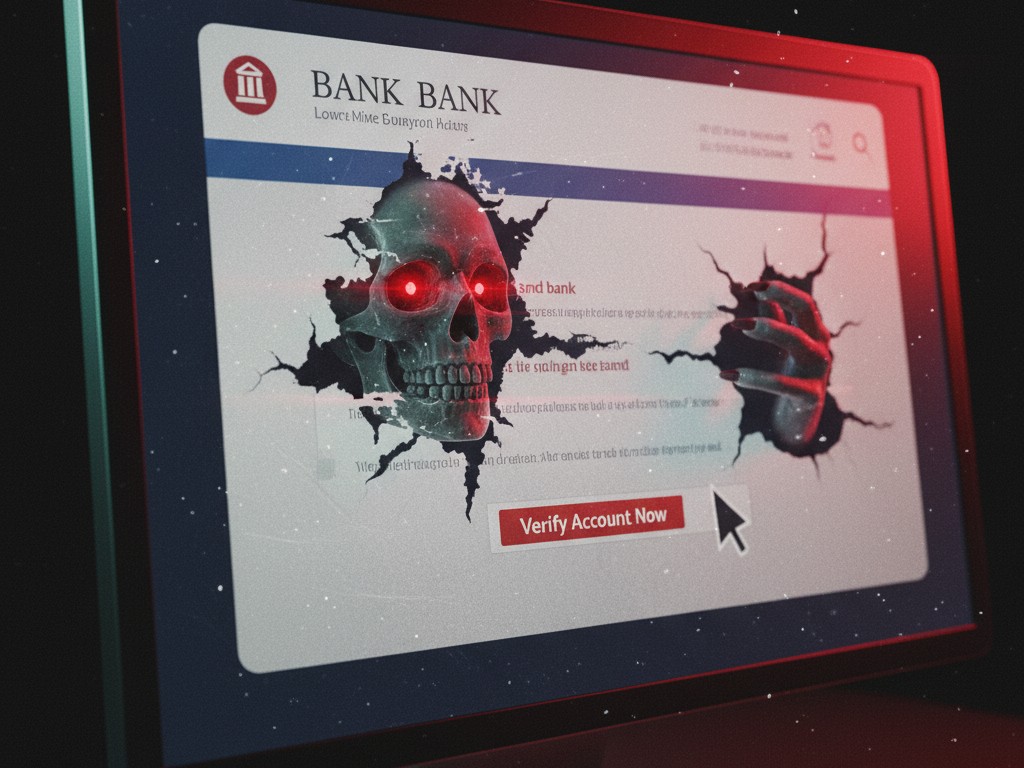
Don’t be a poser, who hasn’t been phished? Or even worse, suddenly had your bank or social media account ‘shot’ by hackers. In this year 2025, our lives are like coffee mixed with cloud storage: everything is digital, everything is easy, but also very easy to be attacked by viruses or online thieves. Identity, money in digital wallets, sweet memories in photos, even chats with your crush, all are attached to servers out there. It’s convenient, but that’s how it is, the loophole for cybercriminals is widening. From increasingly clever scam emails to ransomware that jams your data like Jakarta’s streets during rush hour. The good news is, you don’t have to be a hacker master to protect yourself. Just be an aware user. Think of this as a bootcamp training to become a digital zombie that’s not easily bitten. We’ll break it down slowly, from the most basic to the slightly annoying but very important things. The goal? So you’re no longer a victim, but your own personal digital security guard.
Why Is Cybersecurity Not Just an IT Corp Matter?
In the past, when we talked about cybersecurity, what came to mind were tall buildings, servers as big as houses, and thick-spectacled people coding all night. But now? It’s a different story. The threats have already targeted our pockets, our phone notifications, the emails that come in every minute. Phishing scams are becoming more sophisticated, unlike in the past when they sent emails with spelling errors from ‘Scam Bank’. Now, they can perfectly imitate official emails, complete with logos and professional language. Ransomware, viruses that lock your data and demand a ransom, are no longer just horror stories for giant companies. Your holiday data that hasn’t been backed up could be sacrificed. In short, if you have an online account, you have the potential to be a target.
The First Line of Defense: Serious Digital Gate Security
Okay, let’s start with the most easily overlooked foundation: passwords. If your online accounts are magnificent castles, passwords are the gate keys. The problem is, in 2025, having just one key is already outdated, like using a dial-up modem in this era. You need several layers of security.
The ‘Password123’ Era is Over: Welcome Password Managers
Our brains aren’t designed to remember dozens, even hundreds, of complex combinations of letters, numbers, and symbols like secret agent 007 codes. For example? Try creating something like this: 8$!zPq@#vT&n. Difficult, right? Well, most people actually use the same password on multiple sites. This is fatal! It’s like having one house key for all the doors in a housing complex. If a thief manages to steal one key, all houses can be broken into.
This is where password managers come in. Think of it as a super secure digital vault. You only need to remember one VERY strong master password. The rest? Let this vault handle it. It can create super long and unique passwords for each of your accounts, store them securely, and even fill them in automatically when you want to log in.
The most effective recommendations?
- Bitwarden: This is a cool open-source option, with even a free version that’s not stingy at all.
- 1Password: Already famous for its very easy-to-use interface, suitable for those who are not tech-savvy.
- Dashlane: Another equally capable option with full features.
The method is simple: install the application on your laptop and phone. Create a very strong master password. My advice, use a long phrase rather than a complicated short word. For example, “SayaSukaNasiGorengPedasTanpaKecapAsin123!”. Then, replace your old passwords one by one. Take it slow, the important thing is consistency.
The Second Layer of Security: Two-Factor Authentication (2FA) is Mandatory!
If a password is the gate key, Two-Factor Authentication (2FA) is like a second security guard protecting the main entrance. This is the most powerful security layer you can implement. The mechanism is like this: you enter your password (something you *know*), then you’re asked for another code from your phone (something you *have*). So, even if hackers manage to steal your password, they won’t be able to get in without your phone.
Avoid SMS-based 2FA if possible. Why? Because SMS is very vulnerable to “SIM swapping.” This means the hacker tricks your mobile operator into transferring your phone number to their SIM card. Can you imagine the risks?
Use an authenticator app. This is much more secure. Apps like Google Authenticator, Authy, or Microsoft Authenticator will give you a six-digit code that changes every 30 seconds. So, the code that was used is no longer valid.
For those who need extra-god-level security (e.g., for primary email accounts or crypto wallets), there are physical security keys like YubiKey. These are small USB devices that you need to plug into your laptop and press a button to confirm login. Guaranteed 99.99% secure.
Your top priority: immediately activate 2FA on your primary email account, bank, and all your social media accounts. NOW!
Recognizing Hackers’ Faces: The Key to Defeating Phishing and Social Engineering
No matter how sophisticated our security technology is, the weakest link in the security chain is often human. Hackers know this very well. That’s why they use psychological tricks called social engineering to steal your sensitive information. The most common form we encounter is phishing.
Phishing is a malicious attempt to steal your personal data (passwords, credit card numbers) by impersonating a trusted party through electronic communication.
Secret Techniques for Recognizing Phishing Emails:
- Suspicious Sender Address: Try hovering your mouse cursor over the sender’s name. The actual email address will appear. An email claiming to be from ‘Bank ABC’ but sent from `secure-update123@hotmail.com`? Clearly suspicious. Also, look out for subtle typos. For example: `support@paypaI.com` (uses a capital ‘I’, not a lowercase ‘l’).
- Urgent Tone or False Threats: Phishing emails often cause panic. They use phrases like “Your account will be frozen!”, “Suspicious activity detected!”, or “Verify your account now!”. The goal is to make you click quickly without thinking.
- Suspicious Links: Hover your mouse over the link (DO NOT CLICK!). Look at the destination URL that appears in the bottom left corner of your browser. If the address is very different from the company’s official website, it’s a big danger sign.
- Generic Greetings: Official emails usually greet you by your full name. Be wary of greetings like “Dear Customer” or “Dear User”.
- Poor Spelling and Grammar: Many phishing attacks come from abroad. Therefore, the content is often messy, with many spelling mistakes or strange grammar.
Golden Rule: If in doubt, NEVER CLICK ON LINKS in emails. If you really need to check something, open your browser, manually type the official website address, and then log in from there.
Digital Hygiene: Healthy Software, Networks, and Personal Data
Digital security is like taking care of your personal health. There are small habits that need to be done regularly to avoid getting sick.
Always Update Your Software, Don’t Be Lazy!
Software updates (for operating systems, browsers, and applications) are like vaccinations. They often contain important security fixes to close newly discovered loopholes by hackers. Delaying updates is like deliberately leaving the door wide open for a thief. So, enable automatic updates wherever possible.
Beware of Public Wi-Fi Networks: Like Talking in a Public Place
Free Wi-Fi networks at cafes or airports are quite tempting. However, the risk is very high. Hackers on the same network can easily “eavesdrop” on your data. It’s like you’re discussing secrets in a coffee shop, and everyone around can hear. If you absolutely must use public Wi-Fi, you MUST use a VPN (Virtual Private Network). A VPN is like creating an encrypted secret tunnel for all your data. So, no one can read its content, even if they’re eavesdropping.
The “Least Privilege” Principle for Personal Data: Don’t Share Freely
Think of your personal data as money. Don’t give it to just anyone unless it’s absolutely necessary.
When signing up for a new service, ask yourself: “Do they really need this information?”
Regularly audit app permissions on your phone. Does a flashlight app need access to your contacts and microphone? Revoke unnecessary permissions.
Be careful about what you post on social media. Avoid sharing information that could be answers to security questions (first pet’s name, mother’s maiden name, etc.).
Review Verdict: Security is a Process, Not Just a Product
Building a strong cybersecurity fortress is not a one-time task, but a continuous routine. Technology and scam methods will keep evolving, but the basic principles remain the same: have a strong foundation (passwords & 2FA), be wary of scam tactics (phishing), and maintain digital hygiene (updates & data management). By doing these things, you’re not only protecting yourself but also helping to make our digital world a safer place for everyone. Stay vigilant, keep updating your knowledge, and make security a part of your digital lifestyle.












