
User Interface Transformation: Why iOS 18 Customization Matters
Since its initial introduction in June 2024 and public launch in Fall 2024, iOS 18 marks a significant turning point in Apple’s design philosophy. After years of being known for a highly curated and uniform user interface, this update brings an unprecedented level of personalization to iPhone users. This fundamental change is not just an addition of cosmetic features; it’s a strategic response to the growing user demand for freedom in arranging their devices, as well as Apple’s effort to remain relevant amidst intense market competition.
By July 2025, after nearly a year of availability, iOS 18’s customization features have demonstrably changed the way users interact with their iPhones, offering a more personal and expressive experience. Let’s delve deeper into the key aspects that have been revolutionized.
Visual Freedom: Customizable Home Screen and Icon Display
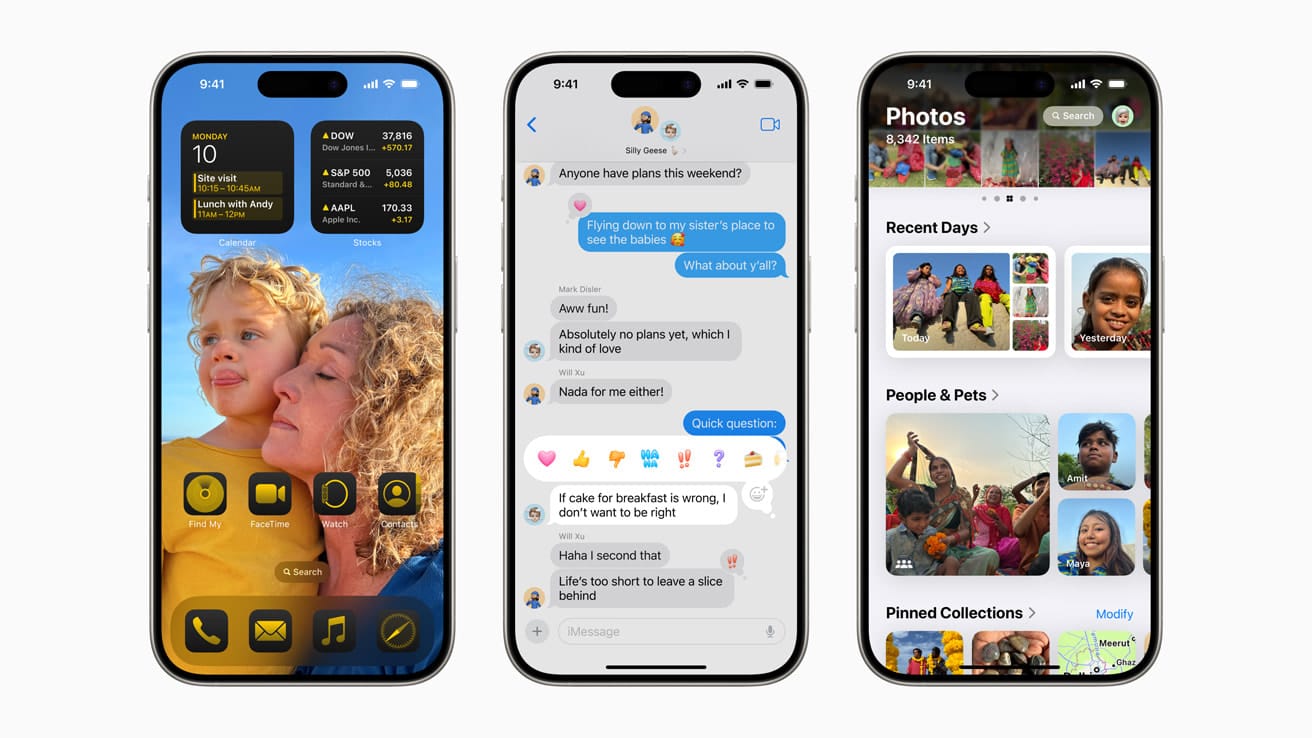
The most striking overhaul in iOS 18 centers on the Home Screen, which fundamentally changes the paradigm of application icon placement. Previously, users were locked into a rigid grid, limiting layout flexibility. Now, users can place application icons and widgets anywhere, creating empty spaces or arranging them according to their visual preferences. Why is this important? This freedom allows users to highlight their favorite wallpapers without being obstructed by icons, or create layouts that functionally align better with their individual workflows.
In addition to placement, iOS 18 also introduces the ability to change application icon colors. Users can select specific color hues for all icons, or let the system intelligently adjust icon colors to harmonize with the currently used wallpaper color. This “Tinting” feature provides a new dimension to visual personalization, enabling cohesive color themes throughout the interface. After several months of widespread use, this feature has become one of the most popular, allowing users to express themselves and provide a fresh look to their iPhones, which have long been known for their monolithic appearance.
Modular and More Flexible Control Center
The Control Center has also undergone a major overhaul, transitioning from a single static panel to a more modular and expandable interface spanning multiple pages. Now, users are no longer limited to Apple’s default toggles and buttons. They can add, remove, rearrange controls, and even change the size of control icons according to usage priorities.
One of the most significant innovations is the integration of controls from third-party applications. Why is this important? This allows users to directly control functions from their favorite applications—for example, smart home settings or quick access to productivity application features—without having to open the application itself. Furthermore, the flashlight and camera buttons on the Lock Screen can now be replaced with other functions that users more frequently use, such as quick access to the Wallet or Voice Memos applications. These features, which have been tested and widely used until mid-2025, have significantly improved efficiency and convenience, making the Control Center a truly personal control center.
Broader Implications: The Balance between Aesthetics and Utility
With iOS 18, Apple has successfully balanced its signature design aesthetic with the demands for personalization freedom that users have long awaited. This update is not just about providing more choices; it’s about giving users greater control over their digital environment. Why is this important? It reflects an evolution in Apple’s understanding of the needs of modern users, who increasingly value the ability to modify their devices to better suit their personal identities and lifestyles. Overall, iOS 18, in post-release evaluations, has set a new standard for customization within the Apple ecosystem, paving the way for more intuitive and personal device interactions in the future.












